
As an Amazon Associate I earn from qualifying purchases. Thank you for supporting this site by purchasing through the links below!
WLED Beginner Guide
What Is WLED?
WLED is a free, open-source platform used to control addressable RGB LED pixels and strips over Wi-Fi.
It is one of the most popular options for:
- Holiday lighting
- Permanent roofline lighting
- LED strips
- Small pixel props
- Beginner RGB projects
WLED is popular because it is:
- Easy to set up
- Inexpensive
- Powerful
- Compatible with many pixel types
What Hardware Does WLED Use?
WLED is typically installed on:
- ESP32 controllers
- ESP8266 controllers
The controller connects to:
- Pixels or LED strips
- A power supply
- Your Wi-Fi network
Most new users should choose ESP32 hardware (vs ESP8266) for better performance and reliability.
What Pixels Work with WLED?
WLED supports many common addressable LEDs, including:
- WS2811
- WS2812B
- SK6812
These can be used for:
- Roof outlines
- Mini trees
- Window frames
- Matrices
- Small mega trees
Key WLED Features
Built-In Effects
WLED includes many built-in animations such as:
- Twinkle
- Rainbow
- Chase
- Fire
- Color wipes
- Custom animations that you build yourself
Presets
Save lighting configurations for:
- Christmas
- Halloween
- Everyday lighting
- Static colors
Segments
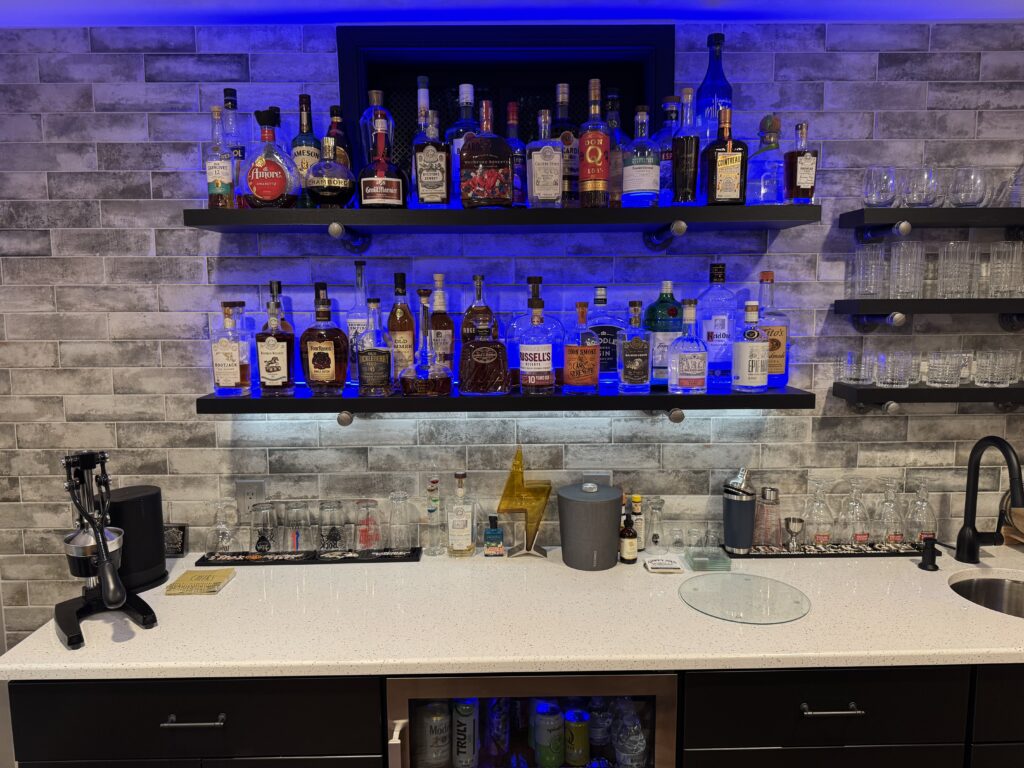
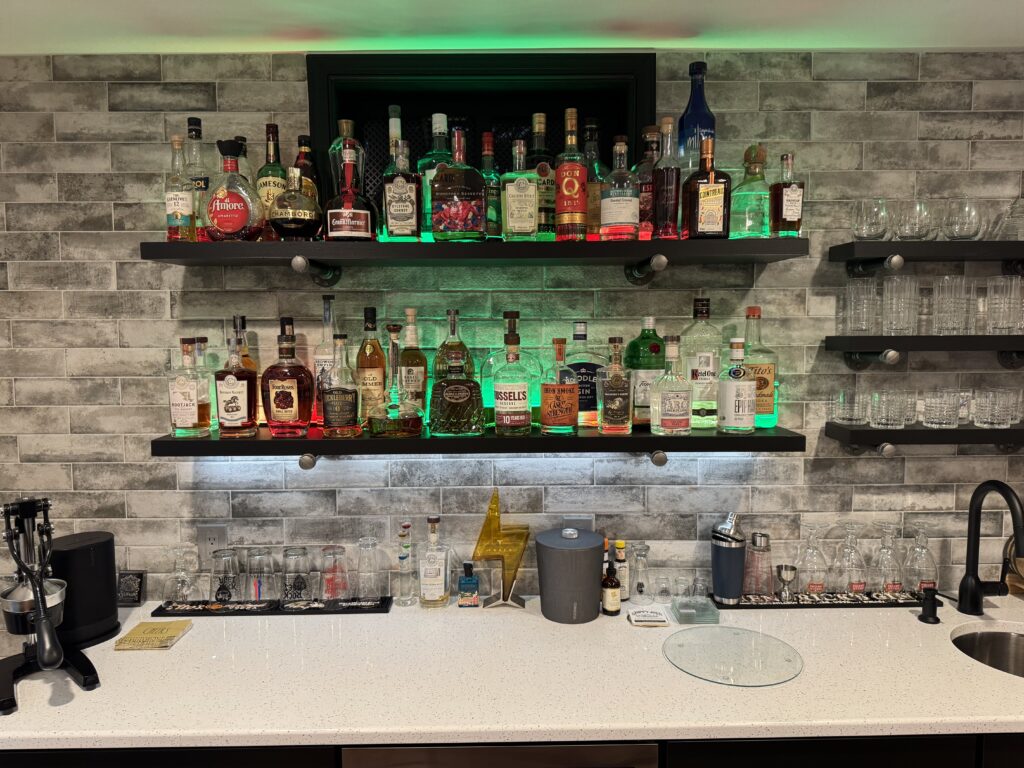
The controllers can divide LEDs into zones so different sections can run separate effects. For example, I use WLED for my bar shelves — I have one controller for 2 shelves. Both shelves have upward facing LED strips, and the bottom shelf has a downward facing strip to provide lighting for the countertop. They are all controlled independently — the downward light is usually set to white, and both shelves upward lights set to solid blue. For holidays or special occasions, I sometimes change the lighting to a fun animated effect (e.g. red/green for Christmas).
Wi-Fi Control
Control your lights using:
- Web browser
- Mobile app
- Home automation systems — I control mine with Alexa
WLED and xLights
Many hobbyists use WLED together with xLights for animated holiday displays. xLights has built-in support for WLED, which allows synchronization with music and light shows.
WLED supports protocols such as:
- DDP
- E1.31
Advantages of WLED
- Low cost (controllers are usually available in the $20-25 ballpark)
- Beginner friendly
- Easy Wi-Fi setup
- Huge community support
- Works year-round for accent lighting and holidays
Limitations of WLED
- Not ideal for large displays
- Wi-Fi can become unreliable at scale — see article on creating a bullet proof WiFi network
- Power injection is still important for larger pixel counts
Is WLED Good for Beginners?
Yes. WLED is one of the best ways to start learning RGB pixel lighting because it offers:
- Fast setup
- Immediate results
- Powerful features without expensive hardware
Many hobbyists begin with WLED before moving to larger controllers and full synchronized shows. It’s a great low-investment, low risk introduction to working with RGB pixels.
Where to get WLED
The WLED software can be downloaded for free from the WLED Project Website. It is also available pre-installed on pre-built WLED controllers available from Amazon and other retailers. I personally use this little WLED controller for the lights on the shelves above my bar. You can also go completely DIY and purchase ESP32 boards to put in your own project box.
Related Guides
You may also like: